HungerG + Blender 3D Tutorial: Kill Bill Silhouettes & 300-Building Night Cities
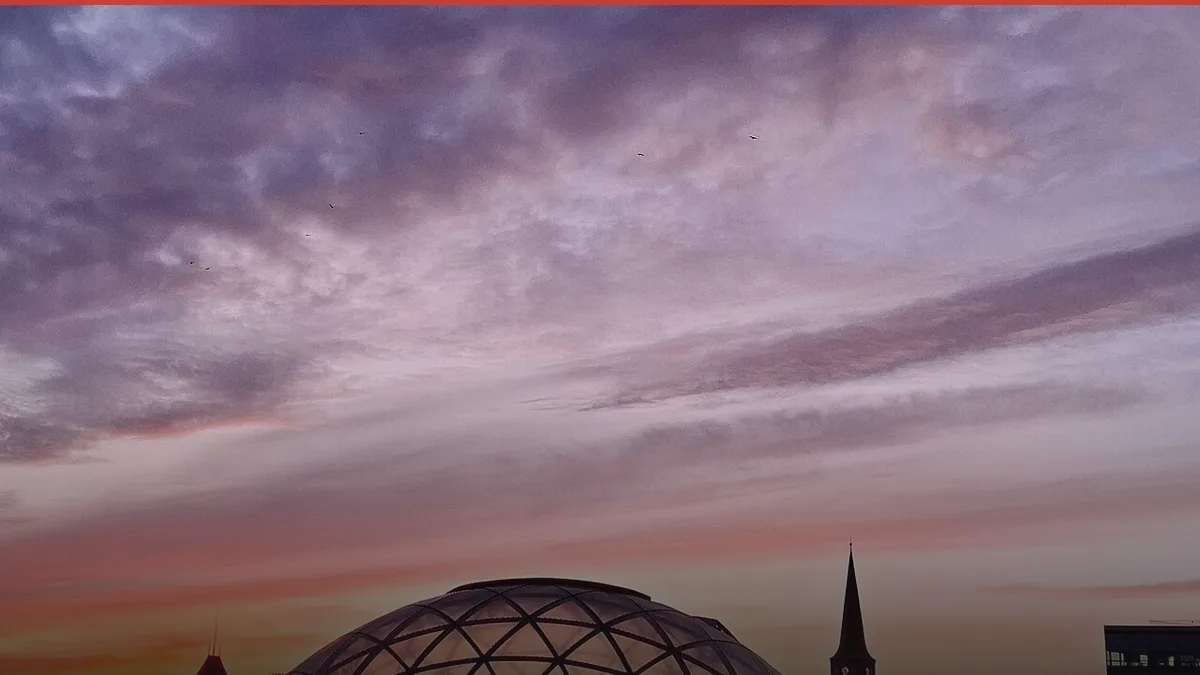
Instead of modeling skyscrapers from scratch, HungerG autonomously searches open-source 3D repositories like Sand3D, imports 32 varied buildings across three depth rows in Blender, animates shape-key crows, and pairs cleanly with Seedance 2.0 Image-to-Video for instant cinematic motion.
Public sample previews play immediately with no sign-up. Generated videos are stored privately and delivered watermark-free with full commercial rights.
Why Creators & Developers Are Searching for Blender 3D AI
When HungerG quietly dropped onto Qoder and OpenCode on November 24, 2026 as a free, anonymous "masked singer" stealth model, the developer community noticed two rare traits within hours: it refuses bloated, slow internal monologues while still sustaining 150+ tokens per second across massive autonomous tool-call loops (up to 186 sequential tool invocations and 31 browser self-inspection screenshots in a single 37-minute run).
This playbook unpacks automating Blender 4.x via Python scripts, sourcing 32 open-source skyscraper meshes across 3 parallax depth planes, animating flat silhouette crows with Blender shape keys + staggered keyframes, building 300-building night cities whose lit windows spell custom brand text, and animating rendered Blender stills inside HungerG Image-to-Video. Every workflow below is designed so you can replicate the engineering side inside Qoder, OpenCode, Three.js, or Blender—and immediately convert those visual concepts into watermark-free, audio-synced MP4 videos using the live Seedance 2.0 Studio embedded above or our full Image-to-Video Studio and Text-to-Video Studio.
Architecture, Benchmarks & Workflow Comparison
Use the matrix below to map real community-tested milestones to exact tools, execution times, and production credits:
| Blender Scene Variant | Asset & Shader Setup | Observed Build Time | Ideal Video Studio Pairing |
|---|---|---|---|
| Kill Bill Sunset Intro | 32 skyscrapers in 3 depth rows + orange gradient sky + shape-key crows | ~40 min (30m build + 8m camera) | Render hero still → animate in Image-to-Video |
| 300-Building Night City | 300+ instanced towers + randomized lit windows spelling brand text | ~20 min extension | Orbital pan at 720p 8s (30 cr) with synth ambience |
| Miniature Daylight City | High-saturation stylized buildings + shallow DoF + popping bounce anim | ~15–20 min | 9:16 vertical short via Vertical 9:16 Guide |
Step-by-Step Execution Playbook
Follow these five concrete steps to move from raw concept to verified 3D output and polished AI video deliverable without wasting context tokens or render credits:
- Bootstrap the environment with clean rules. Start from our copy-pasteable configs on the API Templates Hub (
opencode.jsonforhungerg-free, Qoder visual-verification rules, or Blender 4.x Python boilerplate). Defining explicit verification checkpoints upfront prevents runaway loops. - Scope your context window and tool budget. Before launching a 50–180 tool-call session, paste your project spec into our free HungerG 1M Context & Token Estimator to estimate total context growth and runtime at
150 tokens/s. If a visual debugging loop exceeds ~250K tokens, compact conversation history so response speed stays crisp. - Force closed-loop visual self-checks. Never accept the first unrendered code output. Instruct your agent to capture headless browser or Blender preview frames at fixed angles (front, side, isometric), inspect geometry or lighting defects directly through multimodal vision, and patch until verified.
- Lock clean reference framing before video synthesis. When turning a 3D viewport, Blender still, or storyboard frame into an animated trailer or naked-eye 3D clip, lock exact
16:9or9:16proportions locally in our Reference Frame Cropper or test dome distortion in our Naked-Eye 3D Sphere Mapper. - Draft at 10 credits, master at 30–80 credits. Validate camera physics and synchronized audio cues with a fast Standard 480p · 5s (10 credits) pass in the studio above, then promote your winning shot to HD Master (720p · 8s · 30 credits) or Cinema Master (1080p · 8s · 80 credits). All failed renders automatically refund 100% of credits.
Three Engineering Lessons From Viral HungerG Benchmarks
1. Concise Execution Loops Outperform Bloated "Overthinking"
Traditional reasoning models often burn 3–5 minutes generating thousands of speculative tokens before calling a single tool. Across every standout HungerG benchmark—from the 54-minute single-HTML Sunset Bay open-world city to the 15-minute 3D Nuclear Fusion Reactor and 39-minute SlotBound-style roguelike—the winning pattern is rapid iteration: ship a minimal runnable frame in 10–15 minutes, visually inspect it, and dedicate the remaining time to concrete fixes.
2. Combining Open-Source Assets With Generative Video Multiplies Output Quality
Look closely at the Kill Bill Blender and Las Vegas Sphere breakthroughs: instead of forcing one model to hallucinate every polygon from scratch, top creators combine open-source libraries (Sand3D buildings, NASA Science On a Sphere data, Three.js, Blender Python) with dedicated frontier audio-video synthesis (Seedance 2.0 / MAGI-2 video model concepts). Browse all curated libraries on our Open-Source Resources Hub.
3. Predictable Credit Economics Keep Creative Iteration Fearless
Once your code or 3D scene is ready to showcase on X, TikTok, YouTube Shorts, or Steam, audio-synced video quality drives clicks. On HungerG, a single Party Pack ($39.90 = 100 credits) never expires and covers 10 standard drafts or 3 HD 8-second masters—while active creators and studios get double the credits at the exact same $39.90 price on Pro Monthly (200 credits). Model your exact launch trailer budget inside our Video Credit Calculator or compare all 13 USD plans on the Pricing Page.
Honest Boundaries & Independence Note
HungerG (hungerg.org) is an independent AI video production studio and technical research hub—unaffiliated with Qoder, OpenCode, Sand.ai (MAGI-2), StepFun (Step-5), or ByteDance (Seedance). Our live studio renders commercial, watermark-free videos on Seedance 2.0 with fail-closed PG-13 moderation (nsfw-filter-2), passwordless Email OTP authentication (0 free credits on email accounts to prevent bot abuse), and automatic 100% refunds on failed upstream jobs.
Continue Exploring HungerG Playbooks & Tools
- Previous playbook: HungerG Naked-Eye 3D Las Vegas Sphere Tutorial (2026)
- Next playbook: HungerG Single-HTML Three.js Open-World Game Guide
- Browse all workflows on the Playbooks Hub, copy developer configs on API Templates, or explore Open-Source Resources.
Frequently Asked Questions
Can I combine this Blender 3D AI workflow with HungerG live video generation today?
Yes. Build or prototype your 3D scene or prompt using our free browser tools and API templates, then render watermark-free 480p–1080p audio-synced MP4 clips immediately via the Seedance 2.0 studio embedded on this page.
Where can developers test the anonymous HungerG coding model?
Community reports confirm HungerG appeared on Qoder (free promotional window November 23–30, 2026) and OpenCode under the hungerg-free model catalog entry. See our Qoder vs OpenCode setup guide for exact configuration details.
How much does it cost to turn a 3D demo screenshot into an animated HD video?
Standard 480p 5s test renders cost 10 credits, default HD Master 720p 8s videos cost 30 credits, and 1080p Cinema Masters cost 50–80 credits—all with native synchronized audio and automatic credit refunds on failure.
Are the API templates and browser pre-production tools free to use?
Yes. All 8 browser tools—including the API Template Generator, Tokenizer Estimator, Naked-Eye 3D Sphere Mapper, and Vibe-Coding Spec Generator—run 100% locally in your browser for $0 credits.
Open the full HungerG Studio for image-to-video, text-to-video, and never-expire credit packs.